If an event is not visible on the events in İzmir page, it’s likely because it hasn’t been added to the open-source MusicBrainz database yet.
The system behind this site automatically fetches events from MusicBrainz. This means any contribution you make to the global music database will appear here shortly.
If you want to see an event on the events page and are wondering what you can do, I wanted to prepare this detailed yet easy to follow guide so you can get a general idea of the process and contribute on your own.
For more details and official documentation, check the How to Add an Event on MusicBrainz page.
Contents
- Adding an Event to MusicBrainz
- Automated Data Import with Harmony
- Other Ways to Support the Scene and Community
- Need Help?
Adding an Event to MusicBrainz
1. Create an Account
- Go to the MusicBrainz Registration Page.
- Choose a username and password, then verify your email address.
2. Go to the Add Event Page
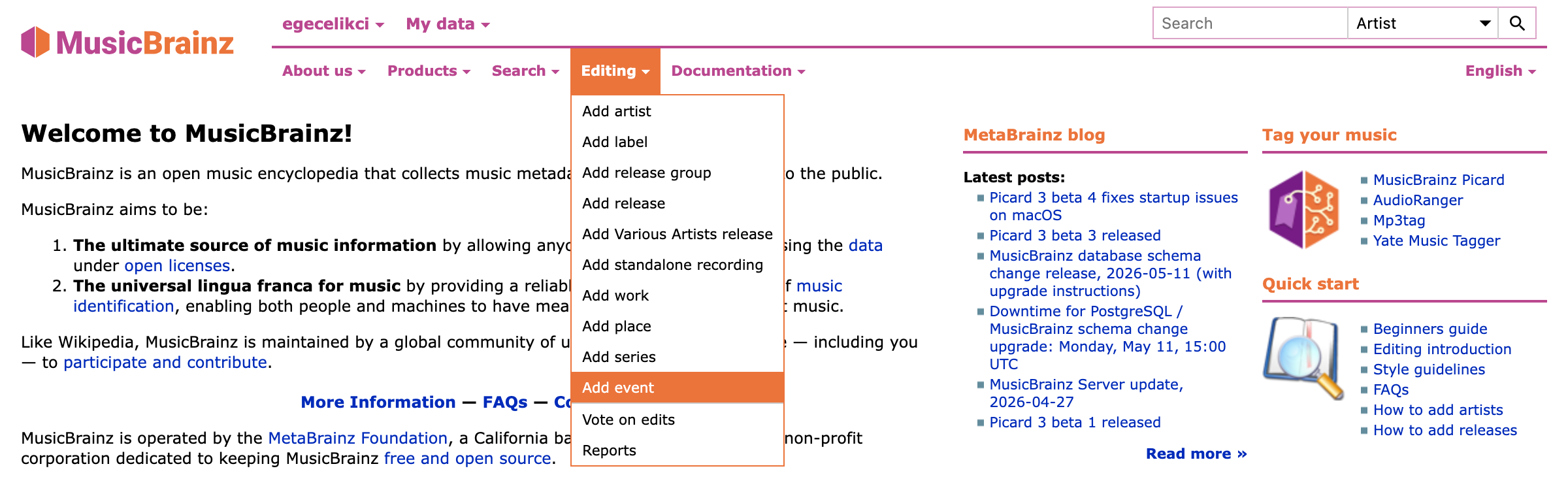
Once logged in, you can find the Add Event option under the Editing menu in the top bar or go directly to musicbrainz.org/event/create.
3. Fill Out the Form (Basic Fields)
When you click the option, a form will appear. First, we enter the event’s basic information:
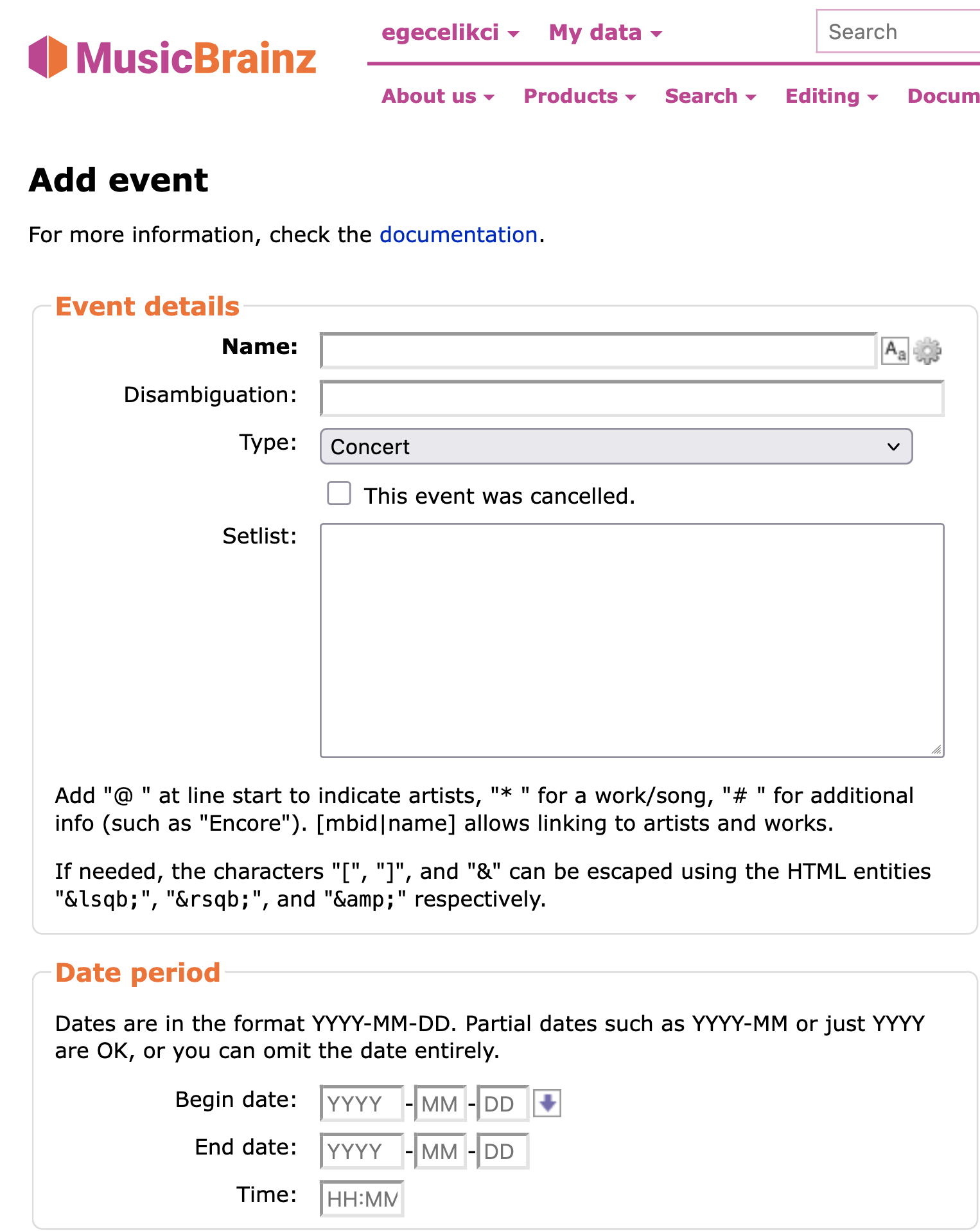
MusicBrainz has specific standards to maintain database quality:
- Name: The name of the event. If the event has no official name, you should type this manually in the format “Artist A & Artist B at Venue C” or “Artist A, Artist B, Artist C at Venue D”. For example:
- Named events: Byzantion Show Series #58 and infuse_archonGrid
- Unnamed events: Rektal Tuşe, Primitive Call & Taarruz at NØMADS-36
- Type: Indicates the type of event. A type other than Concert is rarely needed. (Not every event is a concert; if there is a different concept, you can select the appropriate type in MusicBrainz).
- Date period: The start and end dates, along with the start time. Since door opening and concert start times often differ, you can enter whichever makes more sense to you.
When filling out the form, if you are unsure or do not know certain details, please leave them blank. It is much better for the database health to leave data incomplete than to enter incorrect information.
4. Relationships and Event Crew
The Relationships section of the form is where you relate (link) performers, the backstage crew, venues, and organizers to the event.
This part is highly important. The data you enter here allows the events in İzmir page to automatically generate interactive maps, directions, and special poster/design credits.
An event with no relationships (artist or venue links) will eventually be deleted by MusicBrainz for being “empty.”
Artists and Crew (Artist-Event)
When you click the Add relationship button, you can select the relationship type (Related type) as Artist to add everyone involved in the event.
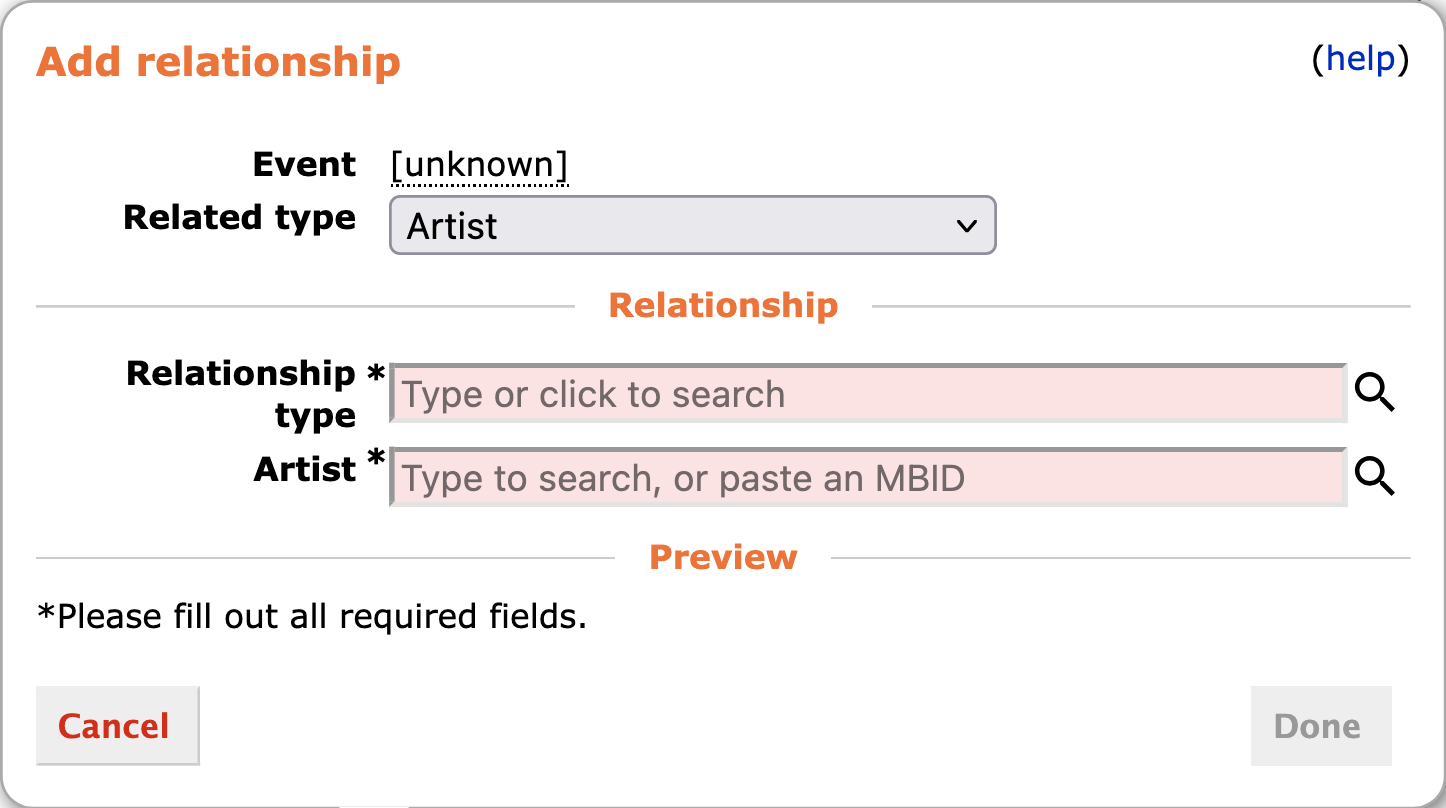
Beyond the musicians on stage, adding the backstage crew is a great archival step to honor those who contribute to the music community:
- Performers: You can add the names on stage with roles like main performer, support act, guest performer, host, supporting DJ or VJ. These names are listed directly on the events in İzmir page.
- Visual / Audio Crew (Non-performing): If you add the people who drew or designed the event poster with the artwork, graphic design or illustration role, these names will be listed as Poster Credits on the event detail page. You can also add those who did the sound/video production using the engineer or design role.
Organizers / Collectives (Label-Event)
If there is an organization, record label, zine or collective organizing an event, you can add them by selecting the relationship type as Label and the subtype as presented.
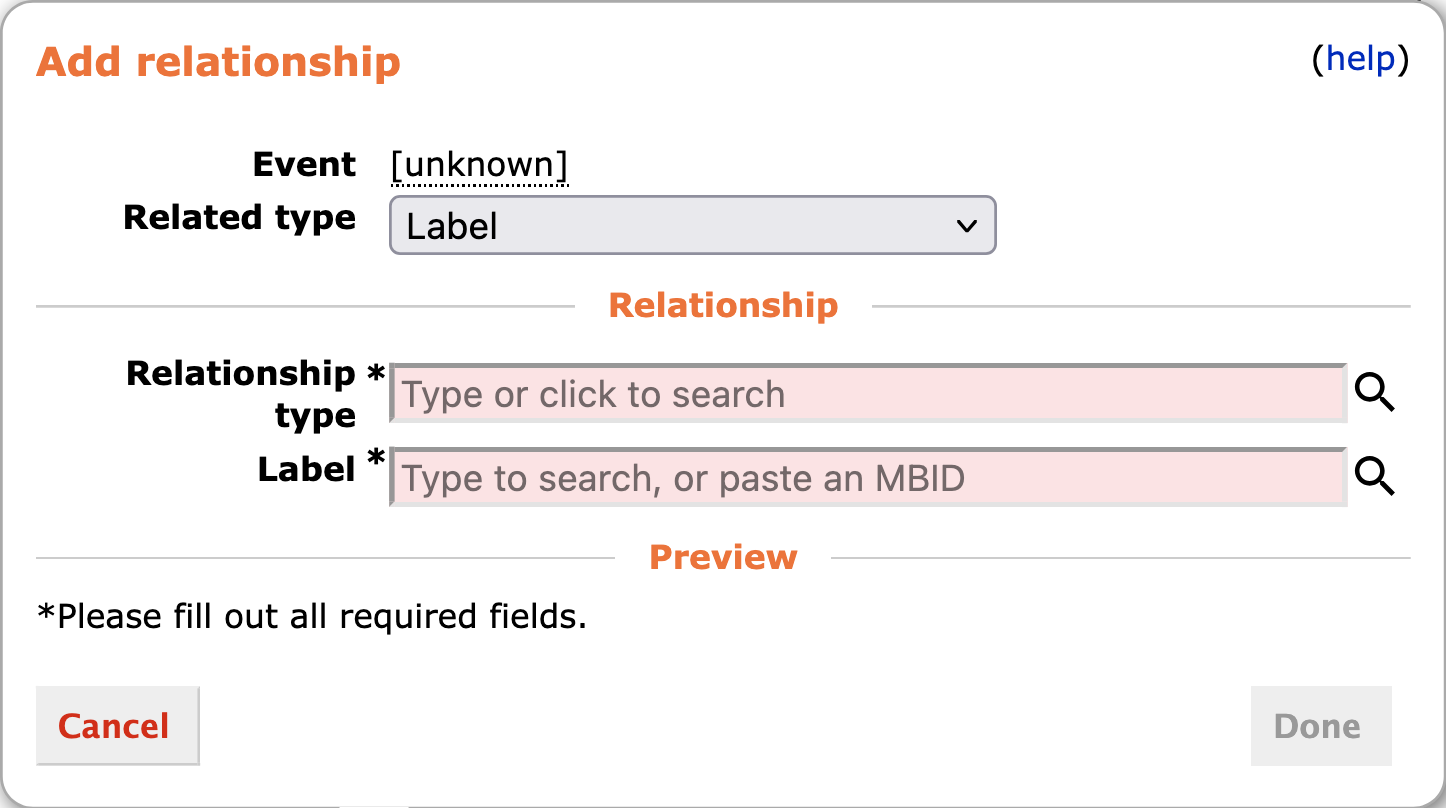
Venue and Map Integration (Event-Place)
In order for the interactive map and “Directions” buttons on the events in İzmir page to work, the event must be linked to a venue. To add the venue, you must select the entity type as Place and the relationship type as held at.
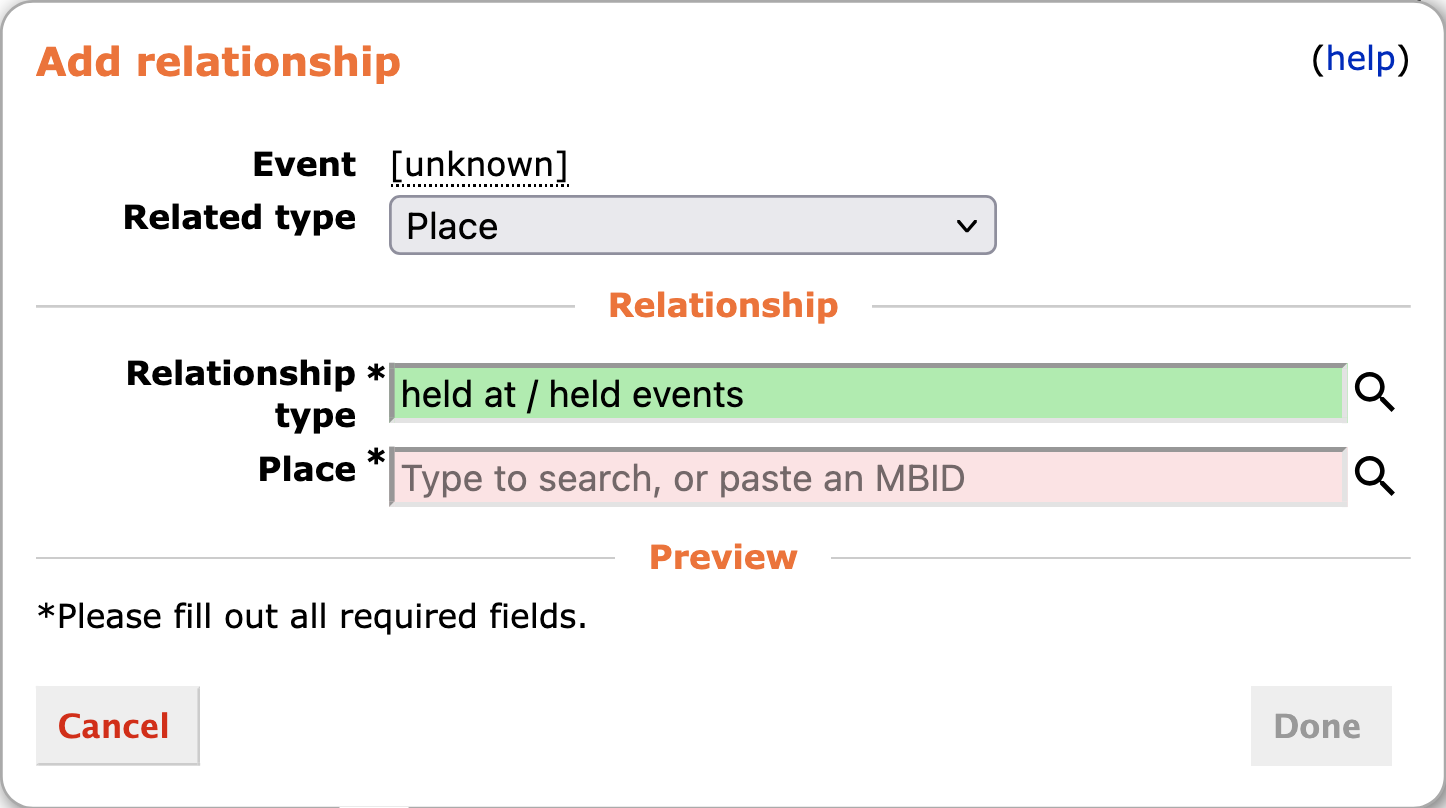
If the venue is not in the system: If the venue you are looking for is not yet registered on MusicBrainz, you can create a new one from the venue search box. Pay attention to the following in the Add a new place window that opens:
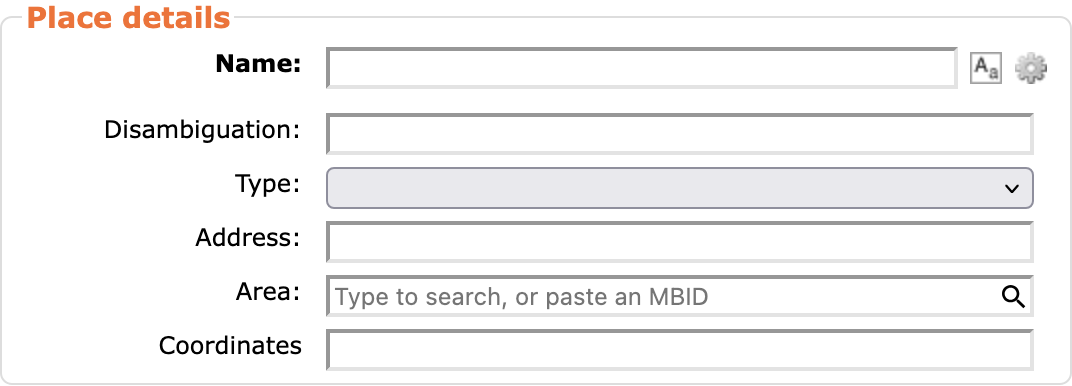
- Name: The full name of the venue.
- Type: Usually Venue should be selected.
- Address: The full address of the venue.
- Area: Enter the city where the concert took place (e.g., İzmir).
- Coordinates: Map coordinates (latitude and longitude, for example:
38.42250, 27.13111).
5. External Links and Social Media
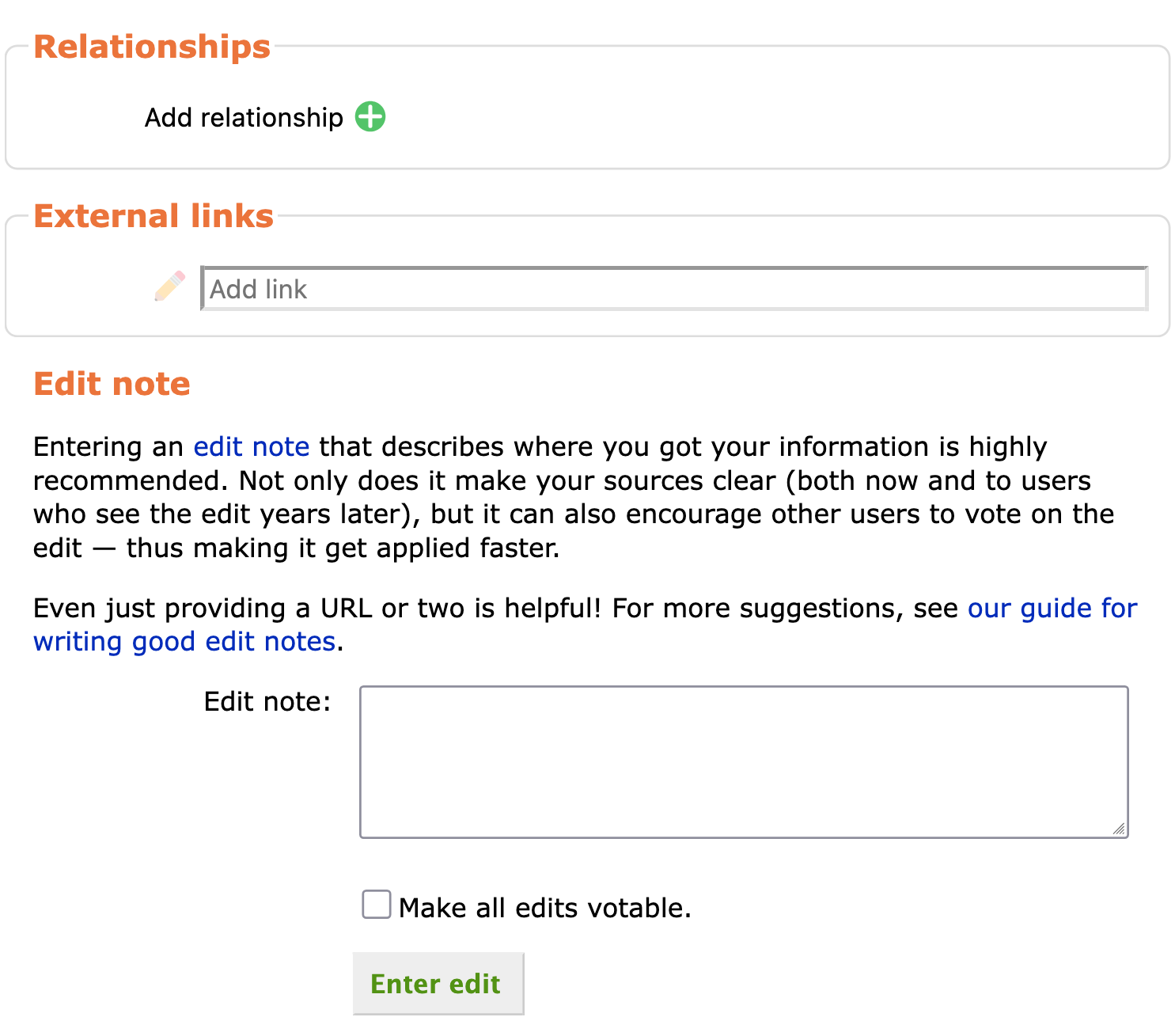
On the same form, right below the Relationships section, you will see a separate section called External links. This is where we define the social media, ticketing, and official pages of the events.

- For the event: You can copy the URL of the event’s ticket sales page, Facebook event, Last.fm event page or organizer’s site and paste it into the Add link box here. These links turn into special buttons (Buy Tickets, Visit Event Page, etc.) on the event detail page of the events in İzmir.
- For artists and profiles: When editing an artist, venue or organizer (Label) from their own profile pages, make sure to add their Instagram or official homepages links as well. The events in İzmir page automatically fetches this data and tries to list it as much as possible.
Contributions like this can serve as an infrastructure for artists to showcase their links on a single page. For example:
6. Edit Notes and Saving
At the very bottom of the page is the Edit note section. Before saving your changes, it is very important to add a brief note or URL indicating where you got the information (Instagram post link, ticket sales link, event poster, etc.). This allows other MusicBrainz editors to verify and approve your contribution.

Once everything is complete, you can add the event by clicking the Enter edit button at the bottom of the page!

If you are unsure how to structure relationships or fields when filling out the form, you can check the MusicBrainz İzmir Event List page. There are dozens of previously created, approved, and successfully listed event examples there, so you can use this page as a practical template guide for yourself.
Automated Data Import with Harmony
If you want to easily import your favorite artists’ profiles and albums from various services (Spotify, Bandcamp, Apple Music, Tidal, etc.) into MusicBrainz, you can use the Harmony tool. Harmony is a fantastic open-source project that allows you to transfer album and artist data to MusicBrainz in seconds.
Other Ways to Support the Scene and Community
Contributing data to MusicBrainz is a fantastic step toward archiving the music history of İzmir. However, it’s not the only way to support the local scene, the artists, and this independent calendar. Other contributions you can make, both digitally and physically, are equally vital for the community:
- Share this page: By sharing this events calendar with your friends or on social media, you can help more people discover local gigs. The more widespread this calendar becomes, the more independent events can reach a wider audience.
- Encourage others to contribute: If you have friends who love archiving, closely follow the local scene or have free time for open-source projects like MusicBrainz, you can let them know about this guide.
- Go to concerts: The biggest and most direct support you can give to the local and independent scene is simply walking through that door, buying a ticket, and watching the performance live.
- Buy artist merch: Purchasing CDs, t-shirts, cassettes, vinyl, fanzines or stickers directly from independent bands and musicians provides them with the most direct financial support.
Need Help?
If you find the process confusing or have information about an event but don’t want to deal with adding it yourself, you can reach out to me via the information on the contact page.